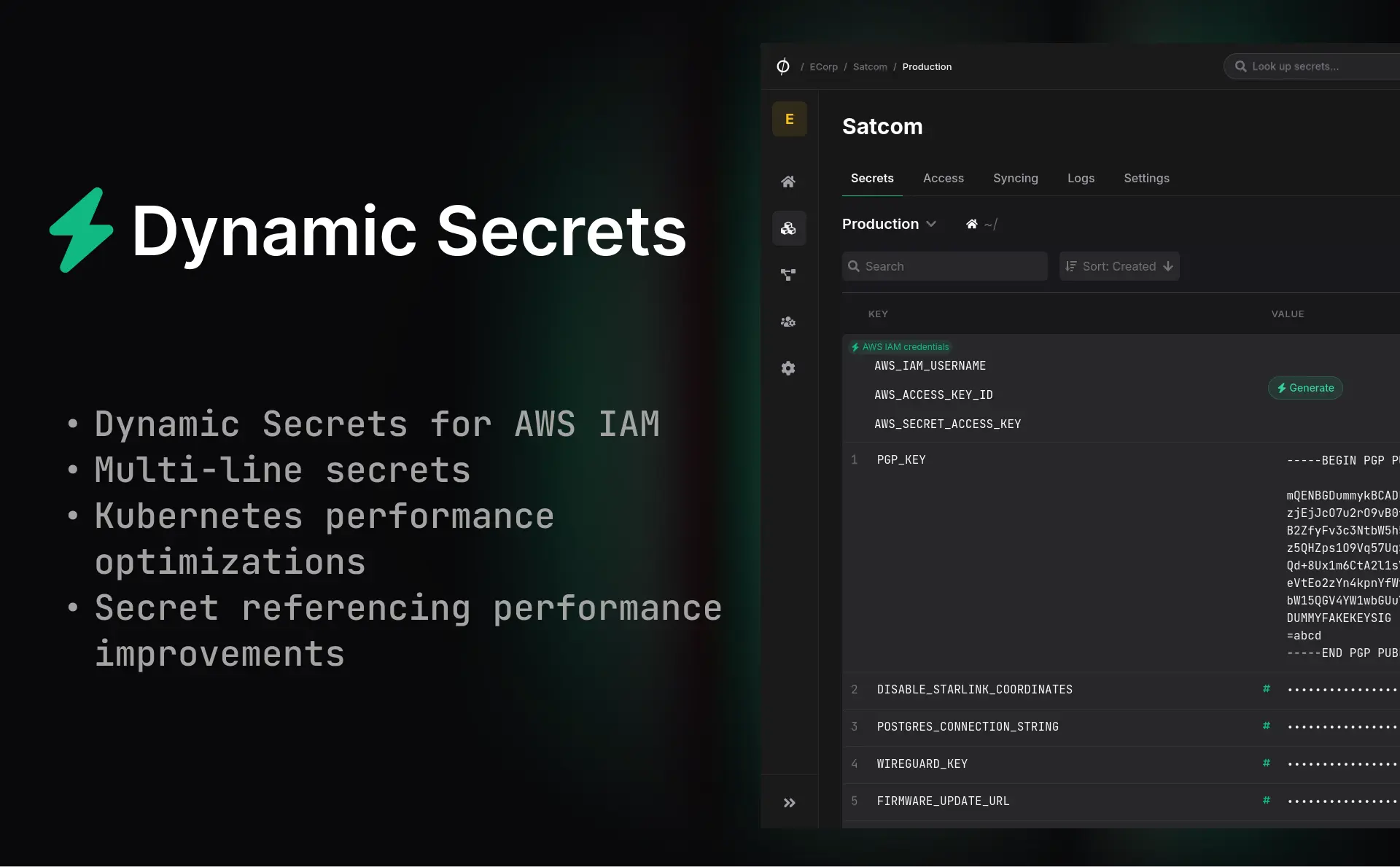
We're excited to introduce Dynamic Secrets, a major leap in reducing the attack surface of your secrets. With this update, you can now generate short-lived, one-off credentials on demand that automatically expire once they have been used by the target machine, workflow or environment. This means fewer long-lived static secrets, far smaller blast radius in case of exposure, and stronger auditability across your organization. We're rolling out Dynamic Secrets for Enterprise tier users with support for AWS IAM, with many more providers on the roadmap!
What are Dynamic Secrets?
Instead of manually creating a static credential (username/password, API key) and consuming it in your application or environment forever, Dynamic Secrets are generated by the system when required and revoked automatically when their purpose is done. They come with a defined time-to-live (TTL), are bound to a specific account (user or service), and have full lifecycle tracking.
For fast-moving engineering teams with sophisticated infrastructure this means:
- Reduced attack surface — secrets exist only for as long as needed to perform an operation, after which they are revoked automatically
- Better traceability — each secret instance is bound to a specific account for a given request/workload, making it easier to trace the source of a secret leak or misuse
- Automated secret revocation — secrets are automatically revoked and rotated after their TTL expires
- Safer workflows — you spend less time rotating long-lived keys and more time shipping
How Dynamic Secrets work in Phase
Here's how we've built Dynamic Secrets for Phase and how you can start using it:
Create a Dynamic Secret
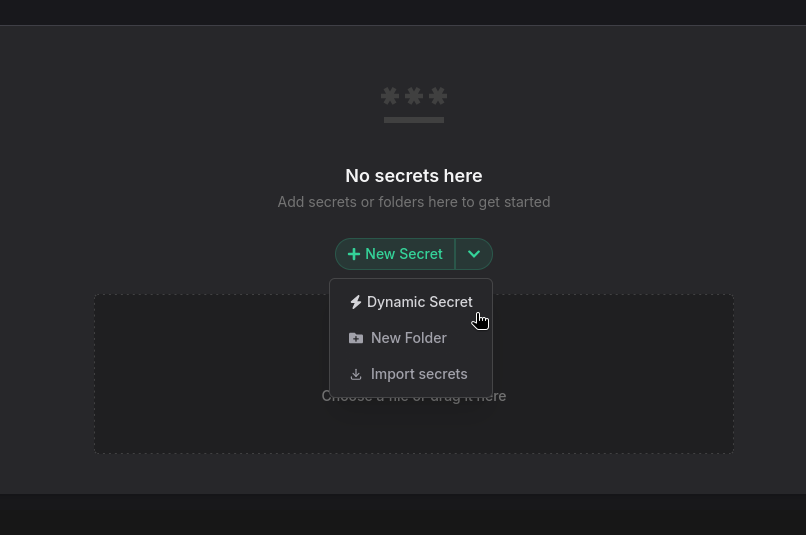
Navigate to the target environment in your Phase app and click New Secret -> ⚡️ Dynamic Secret
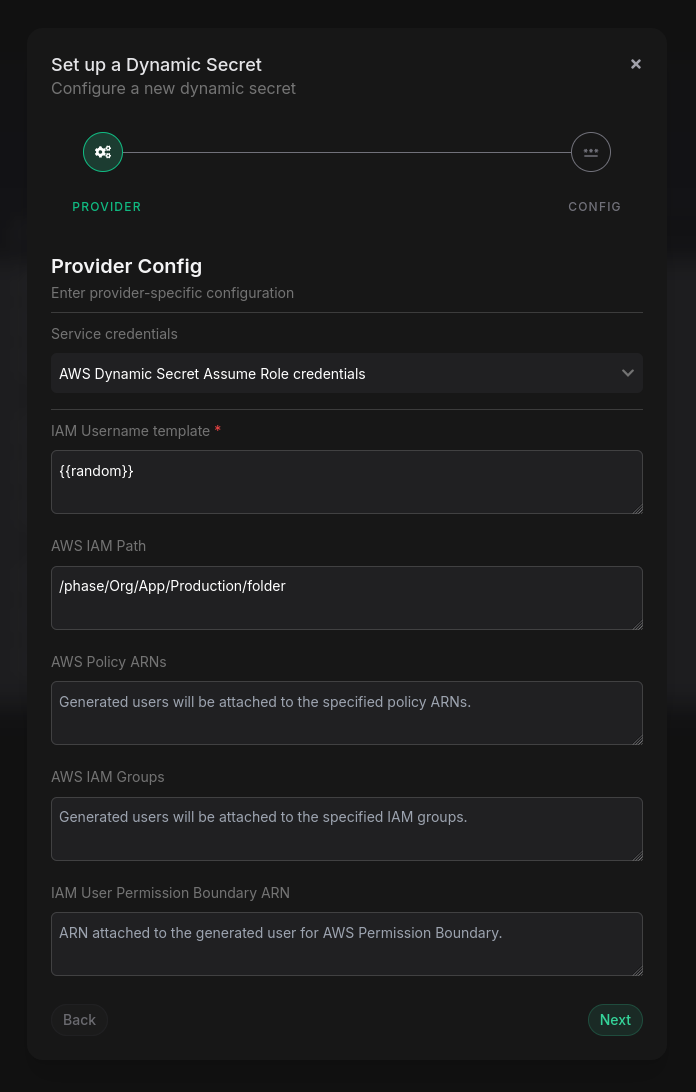
Then pick a third-party service and configure how the secret will be created. For AWS IAM, this means defining the username template, path and groups for IAM users that will be created in AWS, as well as what policy ARNs to attach to dynamically created users.
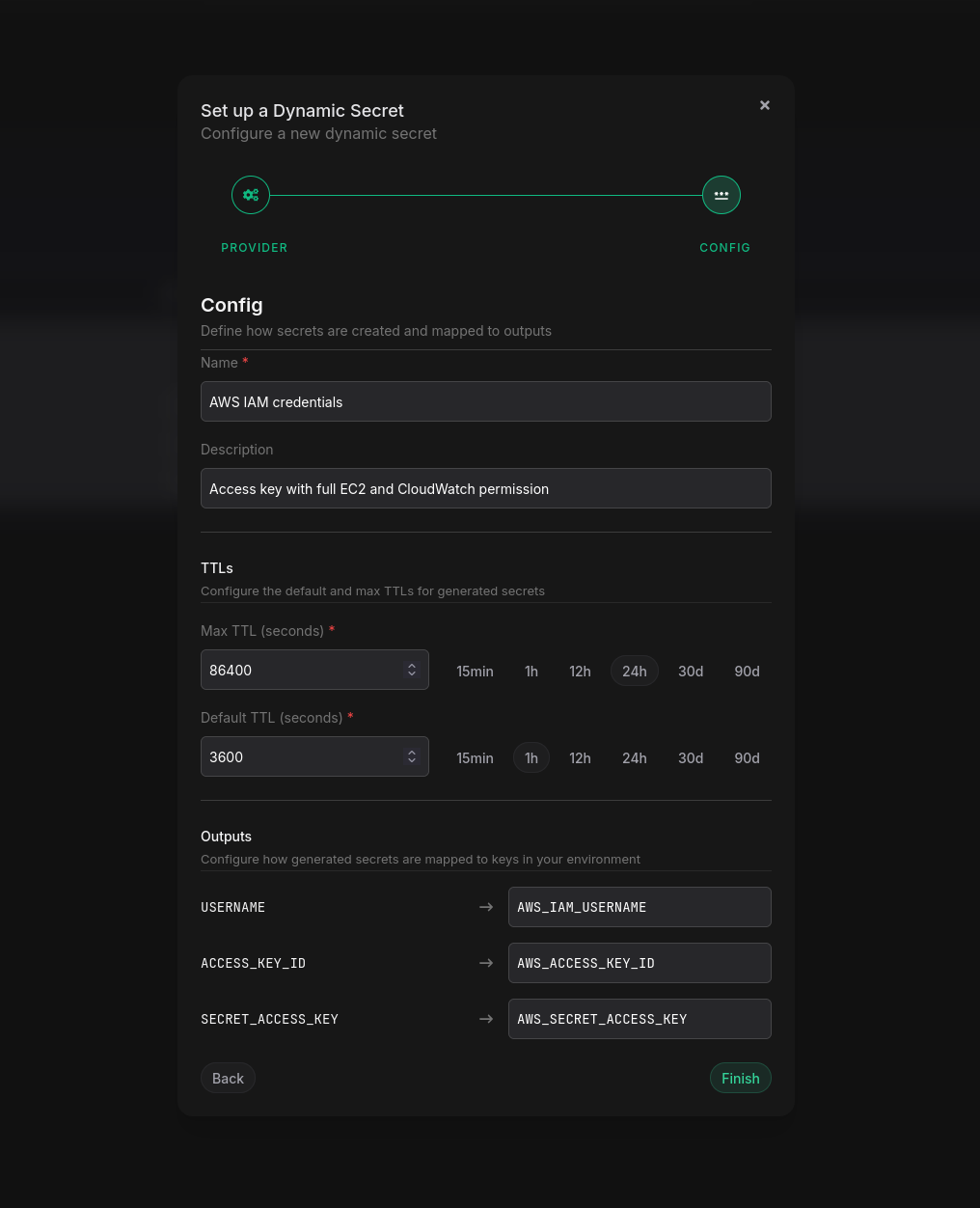
You'll also need to configure how dynamically created credentials interact within Phase. This includes setting credential TTLs, and mapping the AWS IAM credentials to secret keys within your Phase app.
Generating Dynamic Secrets
Once set up, dynamic credentials can be generated or leased within the Console, via the CLI or over the REST API. In either case, the generated credentials will be bound to the requesting account and shown only once. To lease credentials from the Console, simply select a TTL and hit ⚡️ Generate. Dynamic credentials will be generated and shown once. Be sure to copy them securely as they will not be shown again!
Using the Phase CLI, its as simple as phase secrets list --show, phase run, or phase shell within an environment that contains Dynamic Secrets. The CLI will automatically lease new credentials as needed and inject them into your shell or command environment.
Dynamic secrets can also be leased over the REST API, either separately or as part of all other secrets in your environment:
> curl -G https://api.phase.dev/v1/secrets/dynamic/ \
  -H "Authorization: Bearer {token}" \
  -d app_id=72b9ddd5-8fce-49ab-89d9-c431d53a9552 \
  -d env=development \
  -d path=/backend \
  -d name=AWS IAM credentials \
  -d lease=true
[
    {
        "id": "e30c989a-e032-4328-8220-5b7e6044808b",
        "name": "AWS IAM credentials",
        "type": "dynamic",
        "description": "",
        "environment": "59a5bab7-a43e-427a-933c-a175bd27642b",
        "folder": "994053ae-0dbf-4d4d-bdf9-74f862af4f49",
        "path": "/test",
        "defaultTtl": "01:00:00",
        "maxTtl": "1 00:00:00",
        "provider": "aws",
        "keyMap": [
          {
            "id": "username",
            "keyName": "AWS_USERNAME",
            "keyDigest": "b63594e9752ef136f8b35c5f0d9ffb908caed453480b8e0c2628a3ae88810b5a"
          },
          {
            "id": "access_key_id",
            "keyName": "AWS_ACCESS_KEY_ID",
            "keyDigest": "1ea25dfb2e4f401bc11660b85def2afcc78f5487f64f3dad00381aa37fd1d8ac"
          },
          {
            "id": "secret_access_key",
            "keyName": "AWS_SECRET_ACCESS_KEY",
            "keyDigest": "bc9b1ec9c3b16c3cf6280c38a425933b536ff99825707e8da0c5151e5b9d0c01"
          }
        ],
        "createdAt": "2025-09-04T13:36:48.455604Z",
        "updatedAt": "2025-09-11T09:09:39.050701Z",
        "deletedAt": null,
        "lease": {
            "id": "87aef716-9064-4a4a-8079-f5c132693ee2",
            "name": "AWS IAM credentials",
            "description": "",
            "secret": "e30c989a-e032-4328-8220-5b7e6044808b",
            "ttl": "01:00:00",
            "status": "active",
            "credentials": [
              {
                "key": "AWS_USERNAME",
                "value": "kl498xd8f"
              },
              {
                "key": "AWS_ACCESS_KEY_ID",
                "value": "AKIAVYOQRZOLGMVWFM2H"
              },
              {
                "key": "AWS_SECRET_ACCESS_KEY",
                "value": "S80XfzCZTPd9qEfk08/Y5TbK1b1xO5X7Ex5NQjLc"
              }
            ],
            "createdAt": "2025-09-12T07:46:41.729641Z",
            "renewedAt": null,
            "expiresAt": "2025-09-12T08:46:41.729423Z",
            "revokedAt": null,
            "deletedAt": null
        }
    }
]
Check out the docs for complete documentation on working with Dynamic Secrets in the Phase CLI and REST API.
Managing Dynamic Secrets
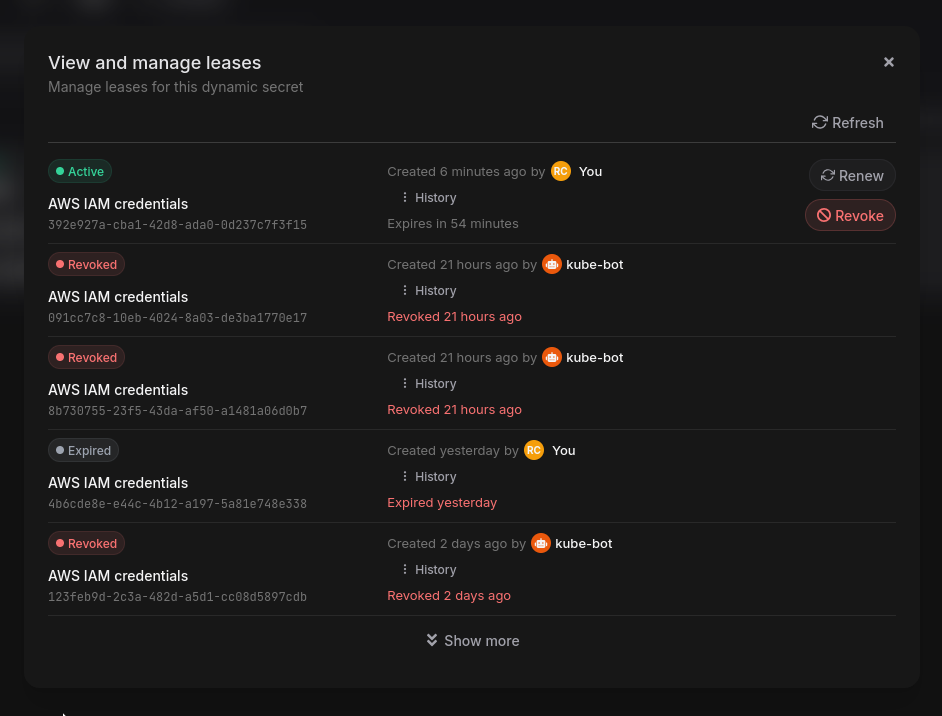
You can manage Dynamic Secret configs and leases directly in the Console. This includes seeing all active leases, their owners, TTLs, and renewing or revoking them early if needed.
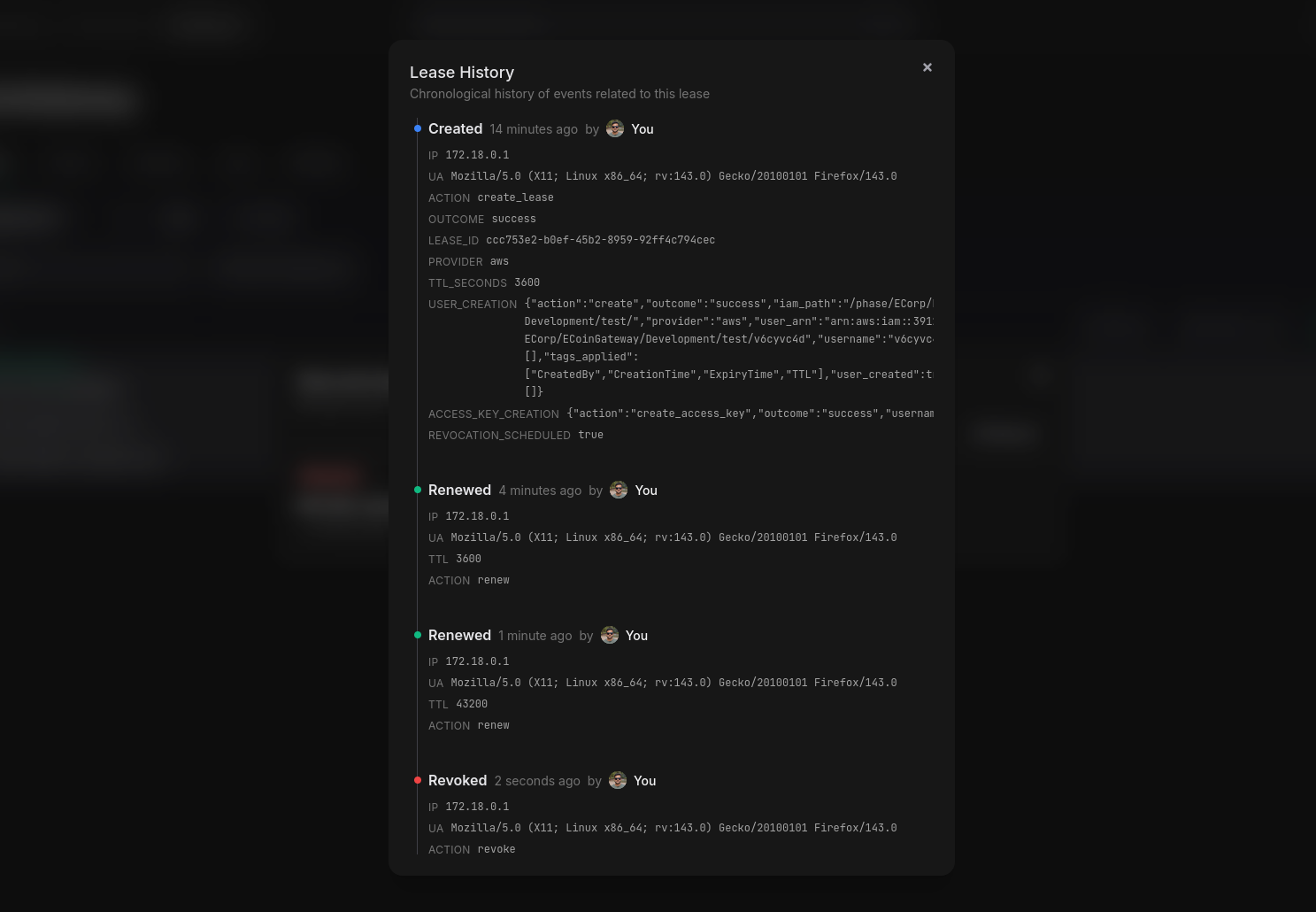
You can also see detailed audit logs of all actions taken on Dynamic Secrets.
Check out the Dynamic Secrets Docs for complete documentation on managing Dynamic Secrets in the Phase Console.
Multiline secrets
By popular demand, we've also added better support for multiline secrets in Phase. You can now create and store secrets that contain line breaks, such as private keys, certificates, and configuration files.
When creating or updating a secret in the Console, simply paste your multiline value into the secret value field. The Console will preserve the line breaks and store the secret exactly as you entered it. Multiline secrets are also fully supported in the CLI and REST API. When retrieving a multiline secret, the line breaks will be preserved in the output.
Performance and optimization
Kubernetes operator
The Kubernetes Operator has been optimized to reduce API calls and improve sync performance. The operator now tracks the timestamp of the last update to an environment, and only fetches secrets when required. This results in significantly fewer API calls and avoids redundant logging, especially for large environments with many secrets.
Secret referencing
The secret referencing engine in the Phase CLI has been optimized to improve resolution performance for large environments with many nested references. This includes caching frequently accessed secrets and reducing redundant lookups during resolution. You should see significantly faster performance when using phase run or phase shell in environments with complex secret references.
Get started
Dynamic Secrets are live now on Phase Cloud and available in release v2.52.0 for self-hosted users.
Kubernetes Operator optimizations are available in v1.3.0
Phase CLI support for Dynamic Secrets as well as secret referencing optimizations are available in v1.20.0
As always, we'd love your feedback — come say hi on X, Slack or GitHub. We'd love to hear what providers you'd like to see next for Dynamic Secrets!